
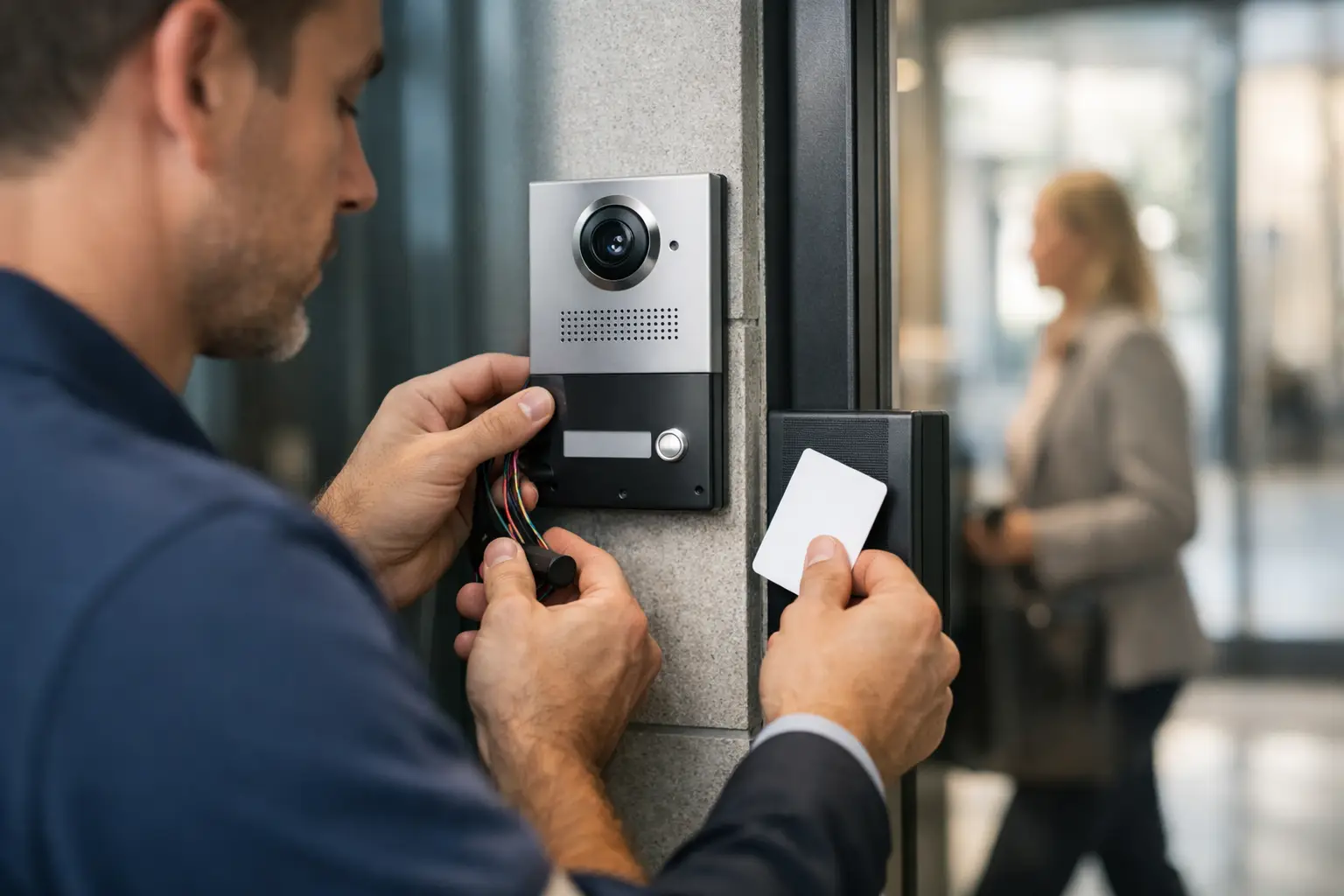
A front door should not force your staff to choose between customer service and security. With a properly planned business buzzer system installation, authorized employees can verify a visitor before releasing the door, while the entrance remains controlled during business hours and after closing.
For offices, medical practices, warehouses, schools, multi-tenant buildings, and service businesses across Broward and Palm Beach Counties, a buzzer system can solve a common problem: the door is either left unsecured for convenience or locked so tightly that legitimate visitors cannot get in without disruption. The right system creates a practical middle ground, but the equipment and installation details matter.
What a Business Buzzer System Does
A commercial buzzer system is an entry-control setup that lets someone outside request access and lets an authorized person inside decide whether to release the door. Depending on the property, it may include an exterior call button, audio intercom, video intercom, interior station, mobile app access, electric strike, magnetic lock, and door closer.
The term “buzzer” is often used broadly. Some businesses only need a simple call button and audible chime at a reception desk. Others need two-way audio or video confirmation, multiple tenant directories, remote release, employee credentials, and records of who entered. A security professional should clarify how the building operates before recommending equipment.
For example, a small professional office may need a single-button intercom at a glass storefront door. A warehouse with a locked personnel entrance may need a weather-resistant call station, camera coverage, and an electric strike that works with existing employee access credentials. A medical office may prioritize private visitor screening and a release button positioned away from public view.
Start With the Door, Not the Device
The most reliable business buzzer system installation begins with the existing door and hardware. A buzzer or intercom does not physically secure a door by itself. The locking hardware, frame condition, hinges, closer, latch alignment, and power source all affect whether the finished system will work consistently.
A door that drags, slams, fails to latch, or has a weak frame can create repeated access problems. If an electric strike is installed on a misaligned frame, staff may hear the release signal but still have to pull or push the door several times to enter. If a magnetic lock is used on a door with a failing closer, the door may not fully close and secure behind each visitor.
This is why commercial buzzer work often includes related door hardware service. Correcting a door closer, replacing worn hinges, repairing the frame, or installing a compatible lock may be necessary to make the system dependable. It is better to identify these issues before installation than to treat them as surprises after the system is installed.
Electric Strikes and Magnetic Locks Are Different
An electric strike replaces or modifies the strike area in the door frame. It allows the existing latch to release electronically while keeping the door locked when access is not granted. This is often a good choice for many office and storefront doors because it can work with standard mechanical latching hardware.
A magnetic lock, often called a maglock, uses an electromagnet to hold the door closed. It can provide strong holding force and is commonly used with certain commercial doors, but it requires careful planning for power, release devices, emergency egress, and local code requirements. The best choice depends on the door construction, traffic pattern, security needs, and life-safety requirements.
Neither option is automatically better. The correct hardware is the one that secures the opening without interfering with safe exit, daily operations, or the door’s ability to close and latch properly.
Decide How Visitors Will Be Verified
Before selecting equipment, consider what your team needs to know before releasing the door. Audio-only systems are straightforward and can be a practical fit when a receptionist has clear communication with the entrance. Video systems add visual verification, which can be valuable when staff cannot see the front door from their work area.
Video is especially useful for businesses that receive deliveries, work with sensitive customer information, store valuable inventory, or have employees working alone. However, cameras need a usable viewing angle, sufficient lighting, and thoughtful placement. A camera mounted too high, aimed into direct sunlight, or blocked by an awning will not give staff a clear picture when they need it.
Remote mobile access can also be useful for owners and managers who are away from the property. It allows a designated user to receive a call or view a visitor from a phone. That convenience should be balanced with clear staff procedures. Employees need to know who is authorized to release the door, when they should not grant access, and what to do if a visitor refuses to leave.
Plan for Daily Use, Not Just the Front Door
A buzzer system should fit the way people actually move through the building. Ask where visitors park, which entrance delivery drivers use, whether customers enter through a shared lobby, and whether staff need different access from the public. A system that works at the main entrance but ignores the side door often leaves the property with the same security gap it had before.
Businesses should also decide what happens during busy periods. If a receptionist is handling phone calls, appointments, and customers at the counter, an intercom that requires constant manual attention may become frustrating. A video station at more than one desk, a remote-release button, or employee credential access can reduce delays without leaving the entrance unsecured.
For multi-tenant properties, the decision may include tenant directories and separate call routing. Property managers should consider how names will be updated when tenants change, who controls system permissions, and whether each suite needs an independent way to release the entry door. Clear ownership of administration prevents confusion later.
Power, Wiring, and South Florida Conditions Matter
The cleanest-looking installation is not always the most dependable one. Wired systems generally provide stable communication and power, but routing cable through finished walls, concrete, storefront framing, or long corridors can affect labor and installation options. Wireless components can reduce disruption in some locations, although they still depend on signal strength, batteries, network reliability, or nearby power.
South Florida properties also need equipment suited to heat, humidity, rain exposure, and coastal air where applicable. Exterior call stations, cameras, wiring connections, and power components should be selected and installed for their environment. A unit that works well inside an air-conditioned office may not last at an exposed rear delivery entrance.
Power interruptions should be considered as well. The system needs a planned response when power is lost. Depending on the locking method and required egress, the door may need to release or remain secured under specific conditions. This is not a detail to leave until the final day of installation.
Keep Emergency Egress at the Center of the Project
Entry control must never prevent people from exiting safely. Commercial doors may be subject to fire, building, and accessibility requirements, particularly when electrical locking hardware is added. Emergency exit devices, request-to-exit sensors, emergency release stations, fire alarm interface requirements, and signage may all be part of a properly designed opening.
The exact requirements vary by building use, door location, occupancy, and local authority requirements. A professional assessment helps identify where a buzzer system can be installed safely and where additional hardware or coordination is needed. Trying to adapt residential-style equipment to a commercial exit door can create security failures, operational issues, and potential safety concerns.
What to Expect During Professional Installation
A qualified installer should begin by reviewing the entrance, door condition, desired visitor flow, current locks, electrical access, and any existing access-control or camera equipment. This allows the system to be designed around the property rather than forcing the property to work around a generic kit.
During installation, the work may include mounting the exterior station, running and protecting wiring, installing or adjusting the electric locking hardware, connecting interior stations, configuring video or mobile access, and testing the door under normal conditions. The installer should test communication quality, release timing, door latching, visitor calling, and exit operation before the job is complete.
Training is part of the service. Staff should know how to answer a call, release the door, use any backup key or credential, respond to a power issue, and report a malfunction. A system is only useful when the people responsible for the entrance are comfortable using it.
When It Is Time to Upgrade or Repair
A buzzer system may need attention when visitors cannot hear staff clearly, the release works intermittently, the door must be pulled hard to open, call buttons fail after rain, or employees have started propping the door open to avoid delays. These are not minor inconveniences. They can signal a failing lock, weak power supply, damaged wiring, worn door hardware, or an entry process that no longer fits the business.
Access Locksmith & Security can assess the full opening, not just the call button. That means the buzzer, electric strike or magnetic lock, door closer, exit hardware, and related commercial security needs can be addressed as one coordinated project.
Your entrance should make visitors feel welcomed while giving your team control over who comes inside. A professionally installed, properly maintained system gives your business a clear answer at the door: verify first, then grant access with confidence.

