
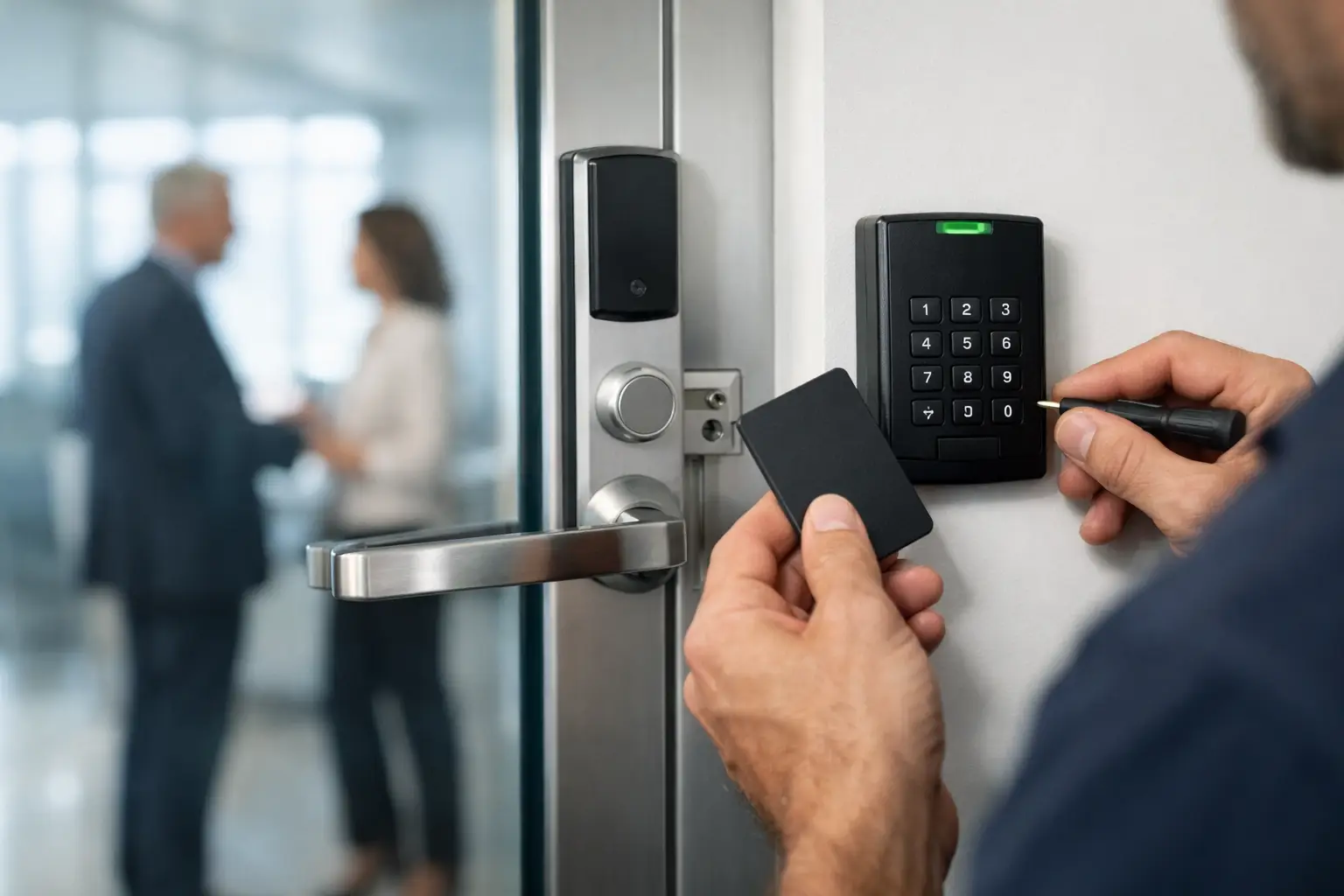
A lost employee key should not force a business to replace locks, distribute new keys, and hope the old one never turns up. Commercial access control installation gives property owners and managers a more practical way to control who enters, where they can go, and when their credentials work.
For a storefront, medical office, warehouse, school, multi-tenant property, or private office in Broward or Palm Beach County, the right system does more than open a door. It reduces key-control problems, documents entry activity, supports staff changes, and helps protect areas that should stay restricted. The system must also work with the doors, exit devices, daily routines, and safety requirements already in place.
Start With the Doors That Create Risk
Not every door needs the same level of control. A front entrance may need scheduled access for employees and visitors. A records room, server closet, pharmacy storage area, or inventory cage may require tighter permissions and a record of each entry. A rear delivery door may need to remain secured while allowing staff to exit safely at any time.
A professional site review should identify which doors create the greatest operational or security concern. That includes exterior entrances, employee-only corridors, gates, stockrooms, offices with sensitive files, and doors that are frequently propped open because the current access process is inconvenient.
During planning, a technician should look at the complete opening, not just the reader on the wall. The door material, frame condition, hinges, closer, latch, exit hardware, existing wiring, and available power all affect what can be installed reliably. A quality access control system cannot compensate for a sagging door, a damaged frame, or a latch that does not align correctly.
What a Commercial Access Control Installation Includes
Most systems have several connected parts: a credential reader, a controller, a locking device, a power supply, door-position monitoring, and a request-to-exit device. Depending on the property, the system may also include an intercom or buzzer system, keypad, mobile credential capability, CCTV cameras, gate controls, or remote management software.
The credential is what an authorized person presents to gain entry. It might be a key fob, card, PIN code, mobile phone credential, or a combination of two methods. Fobs and cards remain familiar and simple for many workplaces. Mobile credentials reduce the need to hand out physical items, but they depend on employees maintaining compatible phones and following a clear enrollment process.
The lock selection matters just as much as the reader selection. Electric strikes can work well with many existing mechanical locks. Magnetic locks are common on certain openings but require proper mounting, power, release devices, and life-safety planning. Electrified panic hardware may be a better fit for busy commercial doors that require dependable emergency egress. There is no one-size-fits-all answer, and the lowest-cost hardware is not always the least expensive choice over time.
Choosing Wired or Wireless Access Control
Wired access control is often the strongest choice for high-traffic exterior doors, sensitive rooms, and properties that need room to expand. It can support a wide range of locking hardware and typically gives technicians more options for monitoring door status, alarms, and integrations. The trade-off is that cable routing can take more time, especially in finished offices, concrete structures, or multi-story buildings.
Wireless locks can be useful where running cable would be disruptive or costly, such as interior offices, tenant suites, and selected storage areas. They can reduce installation impact, but battery maintenance, door compatibility, and wireless signal conditions must be considered before choosing them.
A good installation plan may use both. For example, a business could use wired readers and electric hardware at perimeter doors while using wireless access locks for private offices. The goal is not to install the most equipment. It is to create dependable control at the doors that matter most.
Access Rules Should Match Daily Operations
The most common access-control failure is not a hardware problem. It is a system that does not match how people actually work. If managers cannot easily add a new employee, remove a former employee, change schedules, or review entry events, the system becomes difficult to maintain.
Before installation, establish who will administer the system and what access groups are needed. A small office may only need groups for owners, employees, cleaning personnel, and vendors. A larger facility may need different schedules and permissions for departments, supervisors, tenants, maintenance teams, and delivery staff.
Consider these four practical questions during system design:
- Which doors must remain locked at all times, and which can follow a business-hours schedule?
- Who needs access after hours, and should they enter through a specific door?
- What happens when an employee is hired, transferred, terminated, or loses a credential?
- Which events should management be able to review, such as forced doors, doors held open, or attempted entry after hours?
Clear answers prevent a common problem: giving too many people unrestricted access simply because the system was not organized from the start.
Protect Security Without Blocking Safe Exit
Commercial door security has to support safe exit. An access-controlled door cannot be planned in isolation from emergency exit requirements, fire alarm functions, local building rules, and the hardware already installed on the opening. This is especially important for exit doors, doors with panic hardware, common-area entrances, and buildings open to the public.
For example, a magnetic lock may require specific release methods and coordination with the fire alarm system. An electrified strike may be suitable for one door but not another. A door closer may need adjustment so the door consistently closes and latches after each use. Even the placement of a reader, motion sensor, push-to-exit button, or emergency release affects both usability and compliance.
This is why commercial access control installation should be handled by a qualified security professional who can evaluate the entire door opening. The right approach protects restricted areas while keeping emergency egress clear and dependable.
Do Not Ignore Door Hardware and Power
Many access-control projects become more costly when underlying door issues are discovered after the reader is selected. A damaged closer can leave a controlled door partially open. A worn lock may prevent an electric strike from releasing correctly. A weak power supply, poor cable routing, or missing backup power can cause unreliable operation when it matters most.
Before installation, inspect and address concerns with the door closer, hinges, latch, lockset, frame, exit device, and weather exposure. Exterior South Florida doors also face humidity, heavy rain, salt air in coastal areas, and frequent use. Hardware needs to be selected and installed with those conditions in mind.
Power planning deserves the same attention. The system should have properly sized power supplies, protected wiring, and the appropriate backup strategy for the specific system and opening. If remote management is part of the plan, reliable network connectivity and secure administrator access are also necessary.
Plan for Visitors, Deliveries, and After-Hours Access
Employee credentials are only part of the picture. Most commercial properties also receive clients, vendors, deliveries, maintenance teams, and contractors. A front-door reader alone may not solve the problem if staff are constantly leaving work areas to let visitors in.
A buzzer system, video intercom, or managed visitor process can provide a better balance between service and security. At a warehouse or office complex, a designated delivery entrance may reduce traffic through a main lobby. At a multi-tenant property, individual tenant permissions can help prevent building-wide key circulation.
Cameras can also complement access control by providing visual confirmation around entrances, gates, and loading areas. Access events and video do different jobs. One shows that a credential was used or a door was opened; the other may help show what occurred at the entrance. For many businesses, using both gives management clearer information after an incident.
Installation Is Only the Beginning
Once the system is installed, every door should be tested under normal conditions. That means confirming credential access, scheduled locking and unlocking, request-to-exit operation, door monitoring, forced-door alerts where included, and emergency release functions. The business should also receive straightforward instructions for adding users, deleting credentials, changing schedules, and responding to a lost fob or staff departure.
Ongoing support matters because businesses change. New employees arrive, tenants move, hours shift, doors are renovated, and restricted areas expand. Regular maintenance helps catch weak batteries, door alignment issues, worn hardware, and settings that no longer reflect the way the property operates.
Access Locksmith & Security helps businesses throughout Broward and Palm Beach Counties evaluate doors, install access-control hardware, and address related needs such as electric strikes, magnetic locks, emergency exit devices, door closers, buzzer systems, and camera replacement. With more than 19 years of experience, licensed and insured service, and clear communication from the first site visit through final testing, the focus stays on protecting your property without disrupting your business.
The best time to plan access control is before a lost key, employee departure, break-in, or door failure creates an urgent problem. Start with the doors that matter most, build rules your team can manage, and choose equipment that keeps people secure while allowing them to move through the property safely.

